Worked example · Accounting firm
An individual customer, from first contact to AMLCO approval
An accounting firm takes on an individual customer for a designated service under the AML/CTF Act. The work rates High risk, so it goes through enhanced due diligence (ECDD) before approval.
- Customer
- Amelia Hartwell (sample)
- Type
- Individual
- Rating
- High, so ECDD
- Approver
- The AMLCO
Sample data. This is an illustrative example, not a real customer, and the screens contain no real customer information.
- Stage 1 Onboard the customer
- Stage 2 Open the engagement
- Stage 3 Assess risk
- Stage 4 Approve and conclude
Onboard the customer
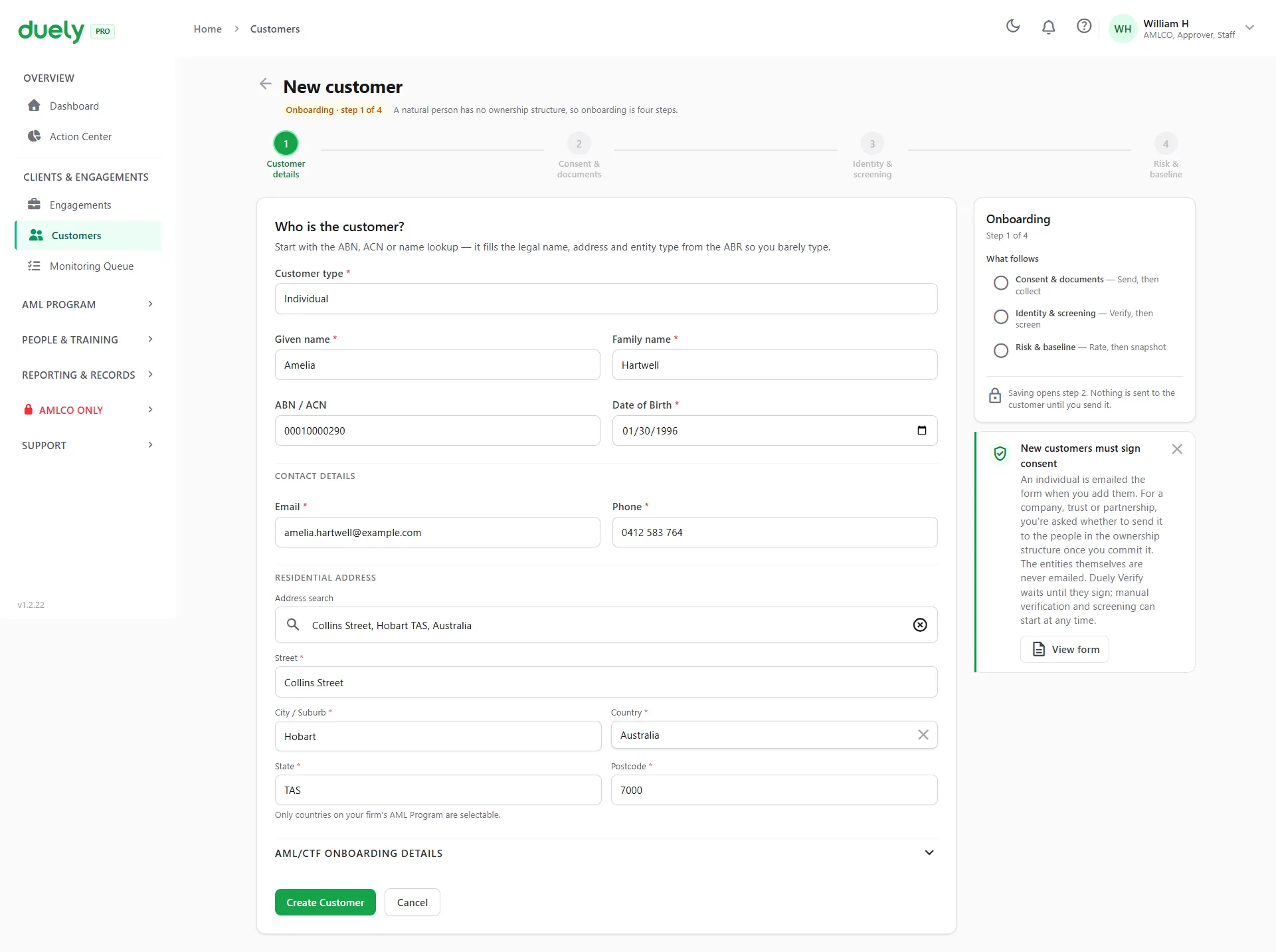
Add the customer
The firm adds the client as a customer. An individual is emailed the consent form as soon as they are added. The customer is set up once and stays in the customer list for later work.
Consent goes out as soon as the customer is added.
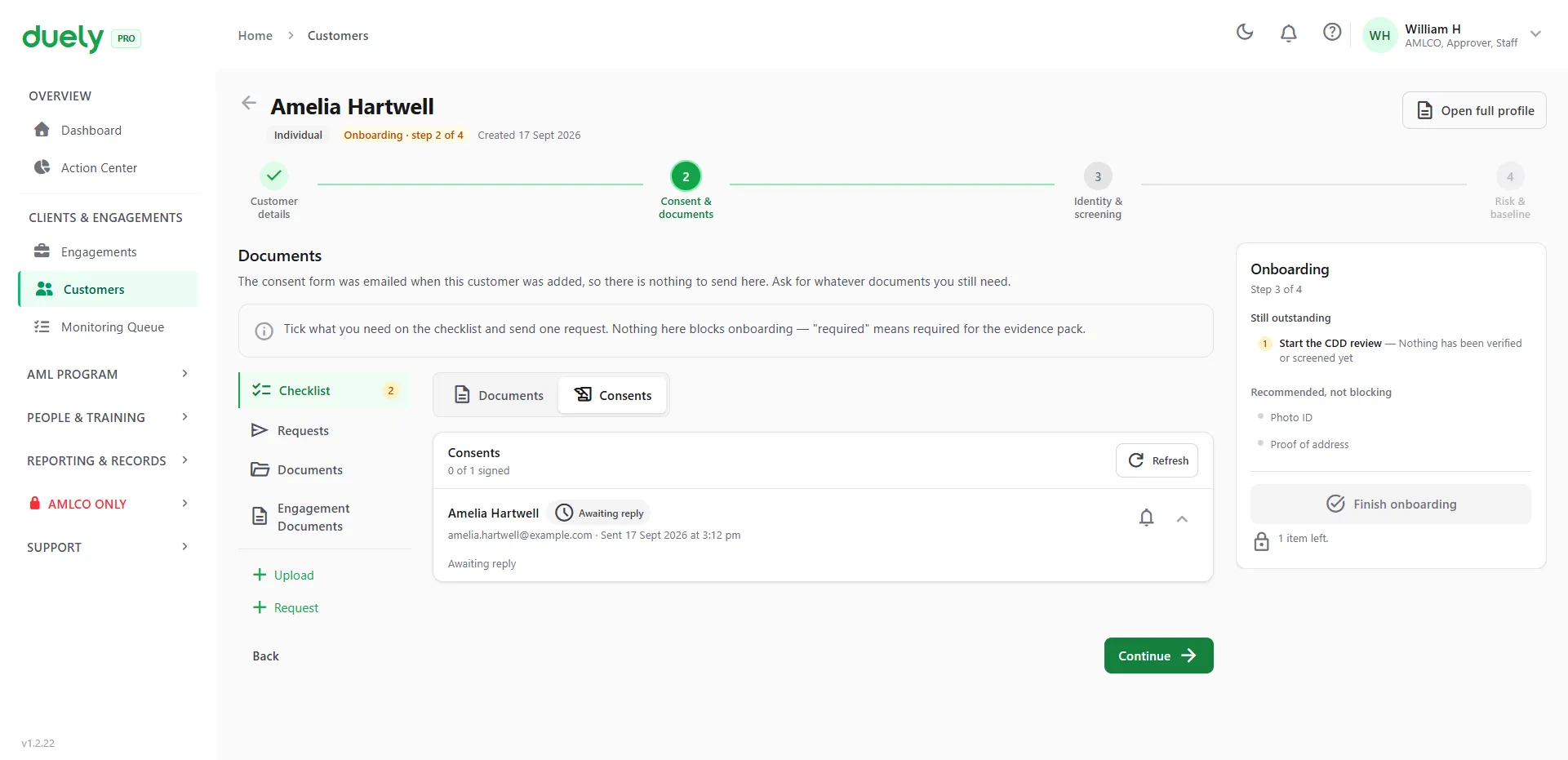
Consent, then the verification link
The customer gets the consent form by email. If they haven't signed by the next step, the verification link opens on the consent form, so they sign first and then verify from their own phone with an ID document and a selfie.
One link covers consent, ID and selfie.
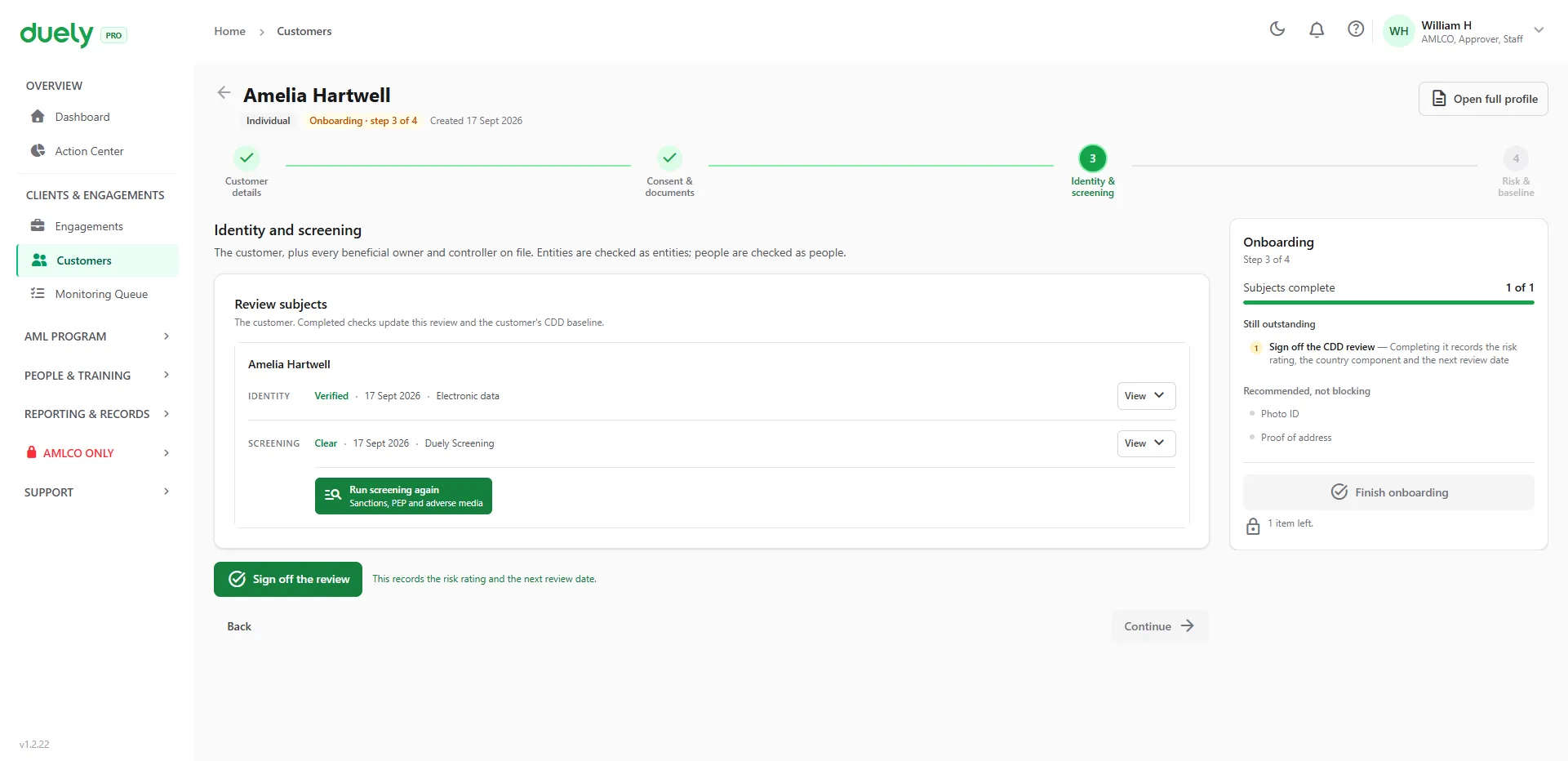
Verify, screen and sign off
The result comes back to the firm. The customer is screened against sanctions, politically exposed person (PEP) and adverse media lists. Once every check has an outcome, the reviewer signs off, which records the customer's risk rating and the next review date.
Sign-off sets the risk profile every later engagement starts from.
Open the engagement
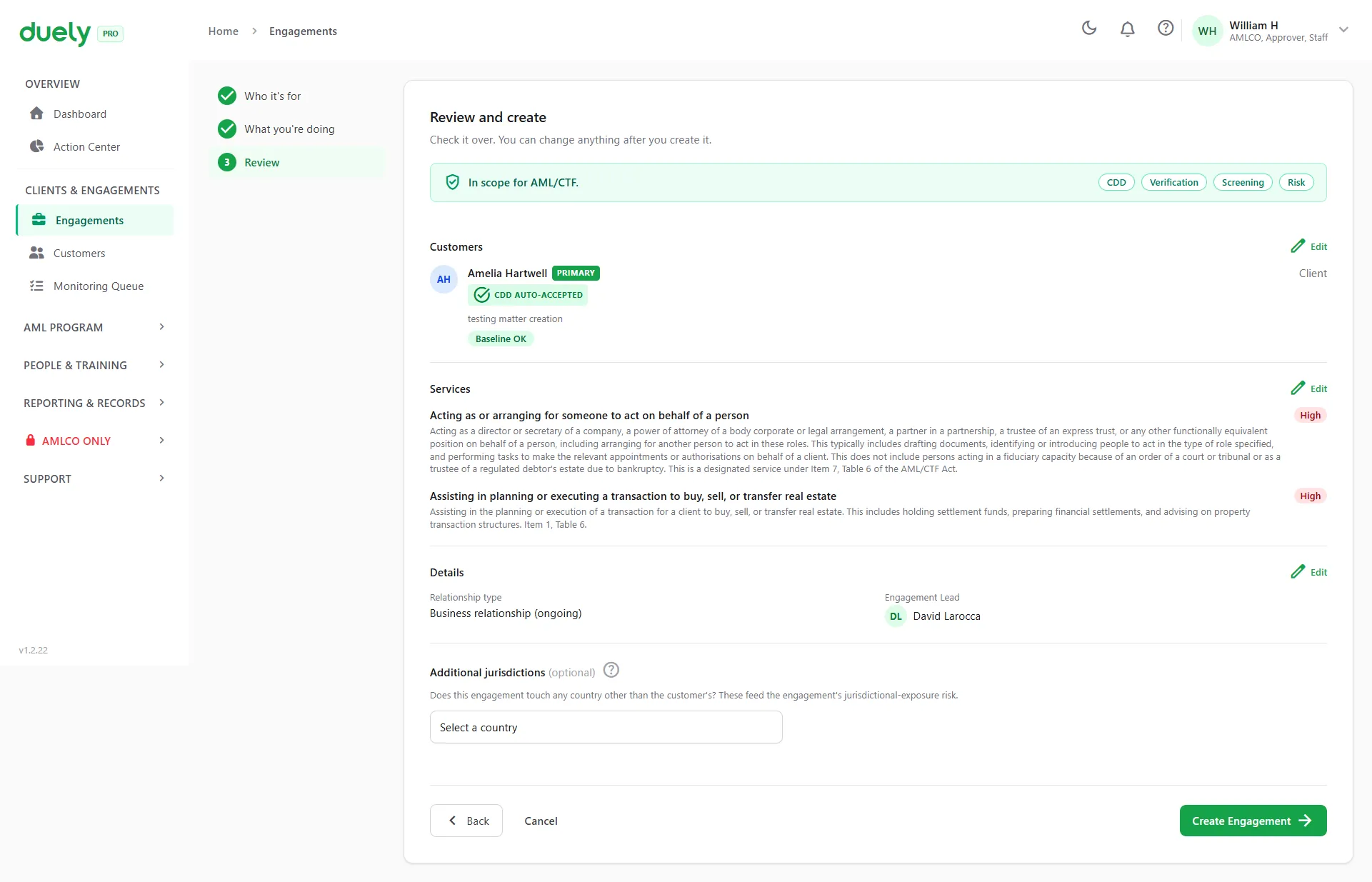
Open the engagement
The firm opens the engagement, picks the customer and their role, and chooses the services. The customer's existing due diligence is attached automatically, and duely records whether the work is in scope for AML/CTF.
Existing due diligence is attached for you.
Assess risk
Answer the AUSTRAC risk questions
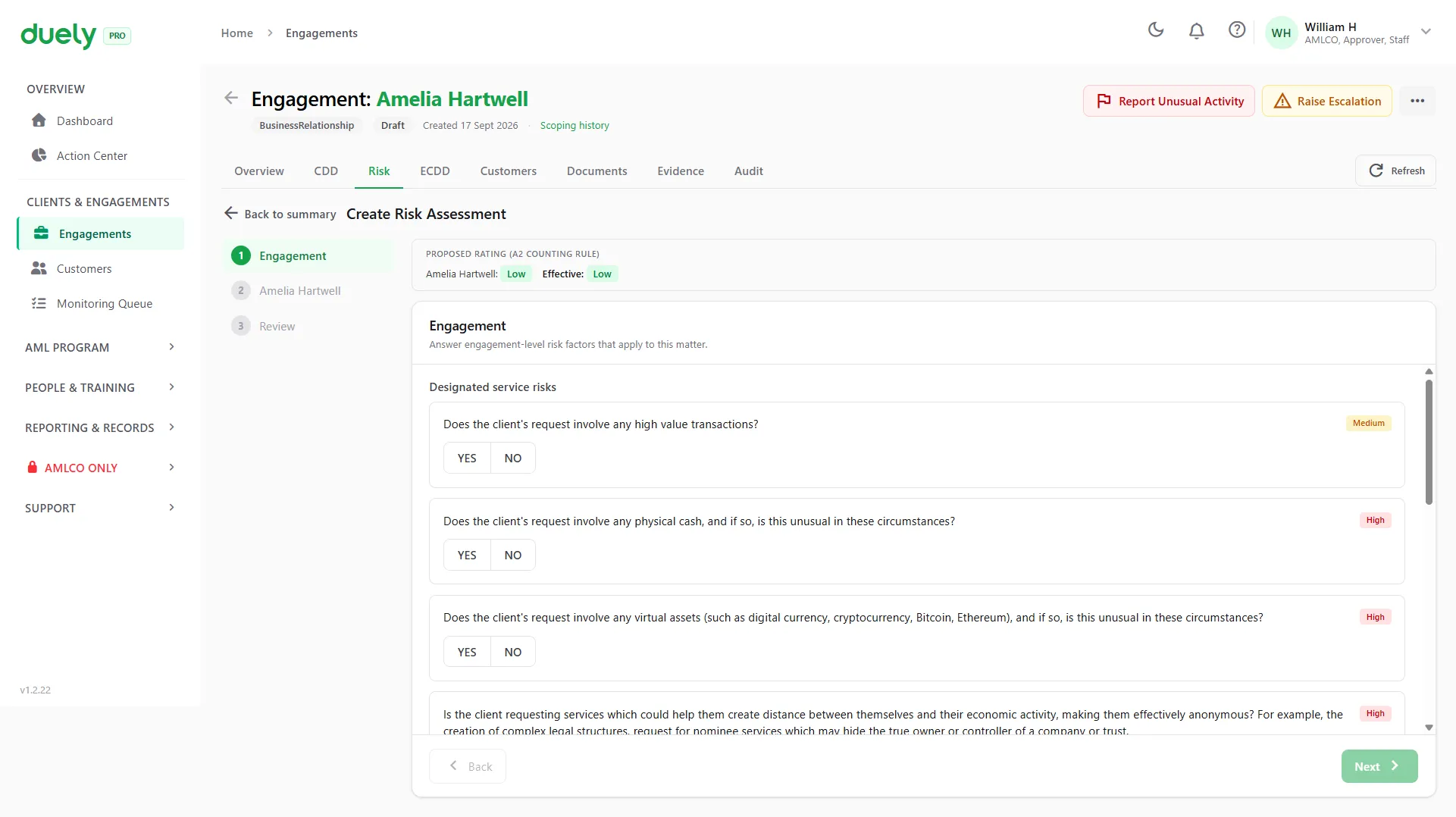
The firm creates the risk assessment and answers the questions from the AUSTRAC starter kit, including whether the work involves physical cash or virtual assets.
The questions come from AUSTRAC's starter kit.
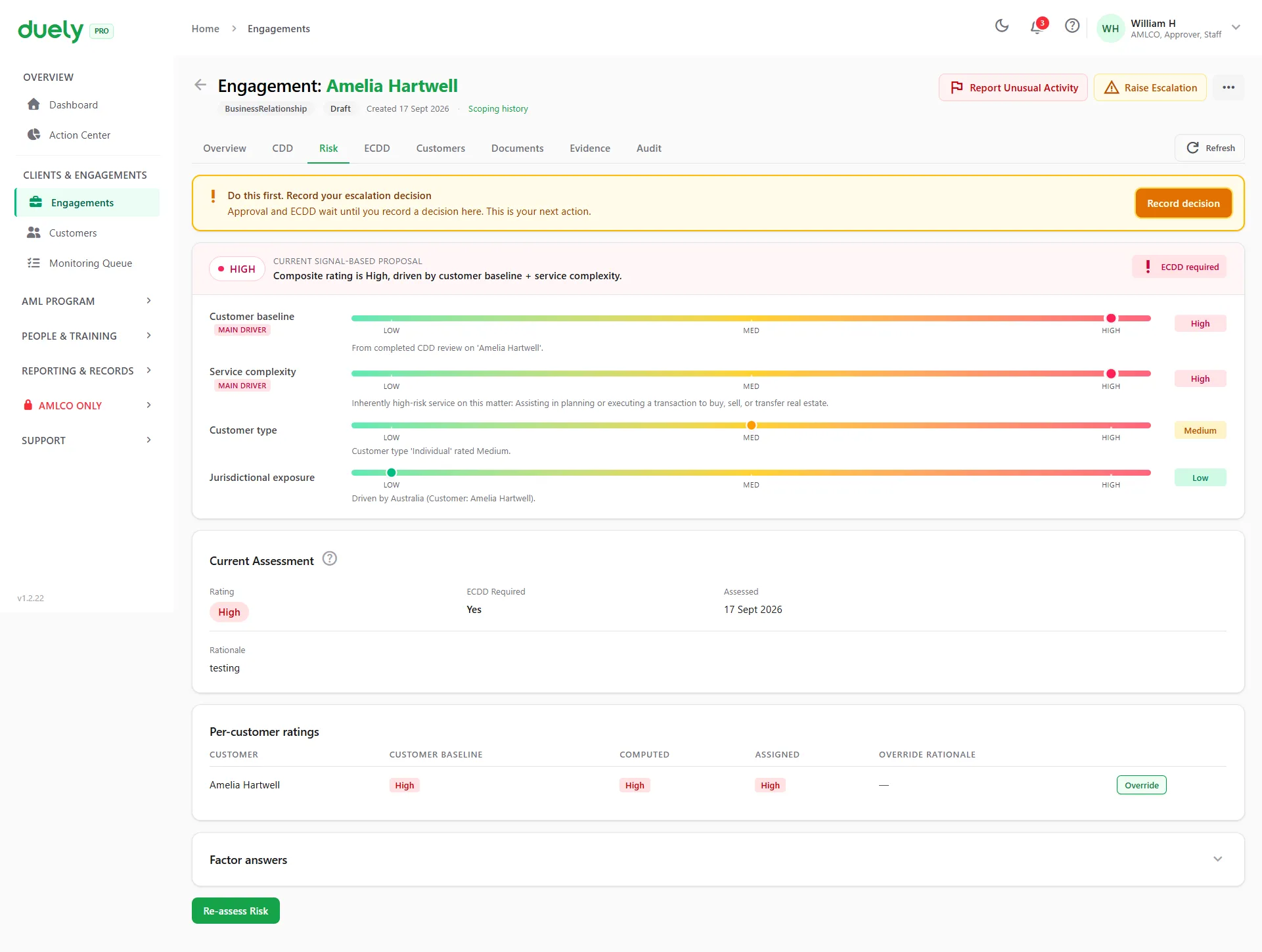
duely rates the risk
duely works out the engagement's rating from the customer's baseline, the service, the customer type and the countries involved, and shows what drove it. A High rating means enhanced due diligence is required.
The rating shows what drove it.
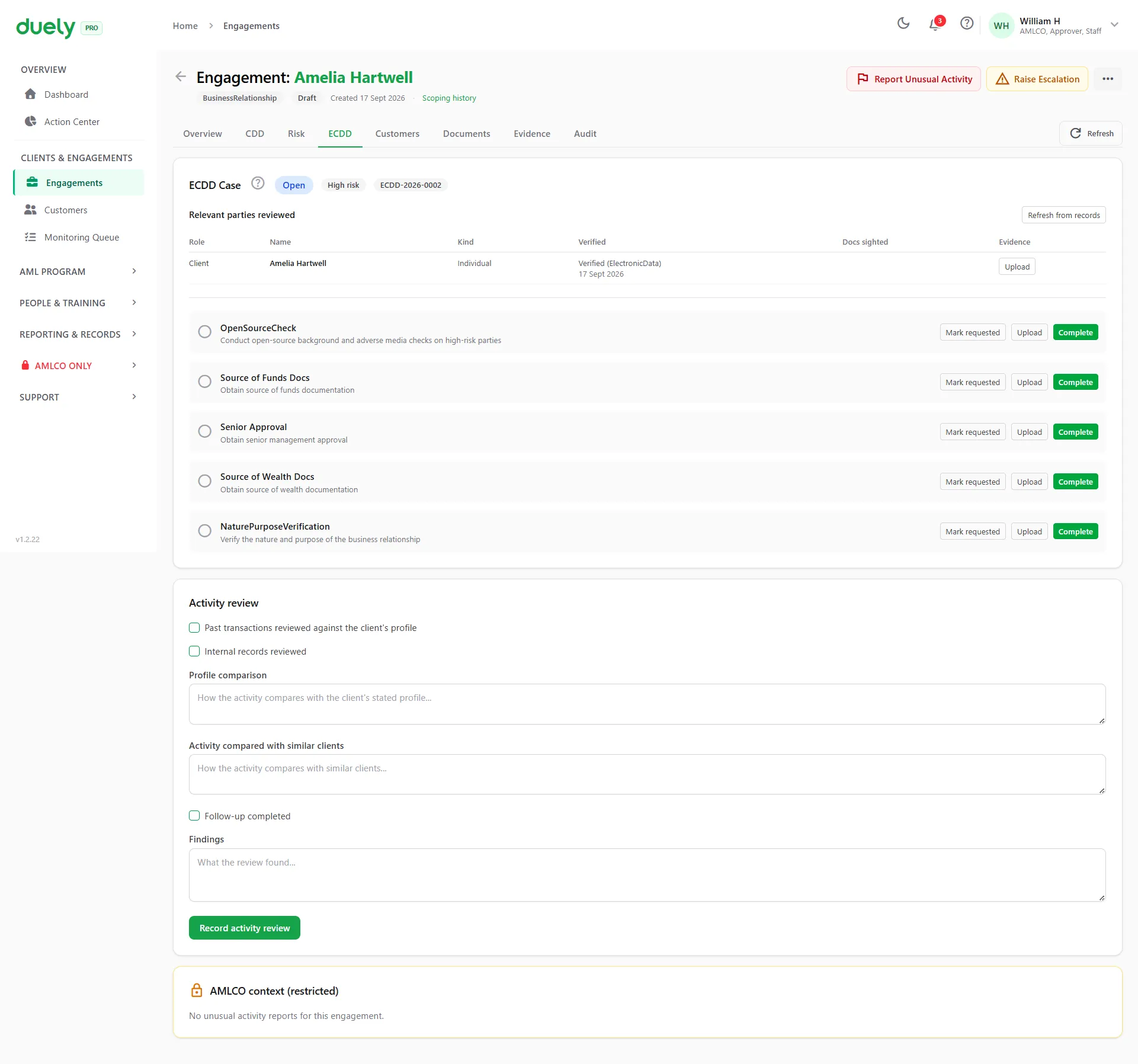
Run enhanced due diligence
A High rating opens an enhanced due diligence case, and so can a confirmed sanctions hit. The checklist covers source of funds and source of wealth documents, open-source checks and approver sign-off, each with its own upload. A Medium or Low rating skips this step.
High risk gets extra scrutiny, and a record of it.
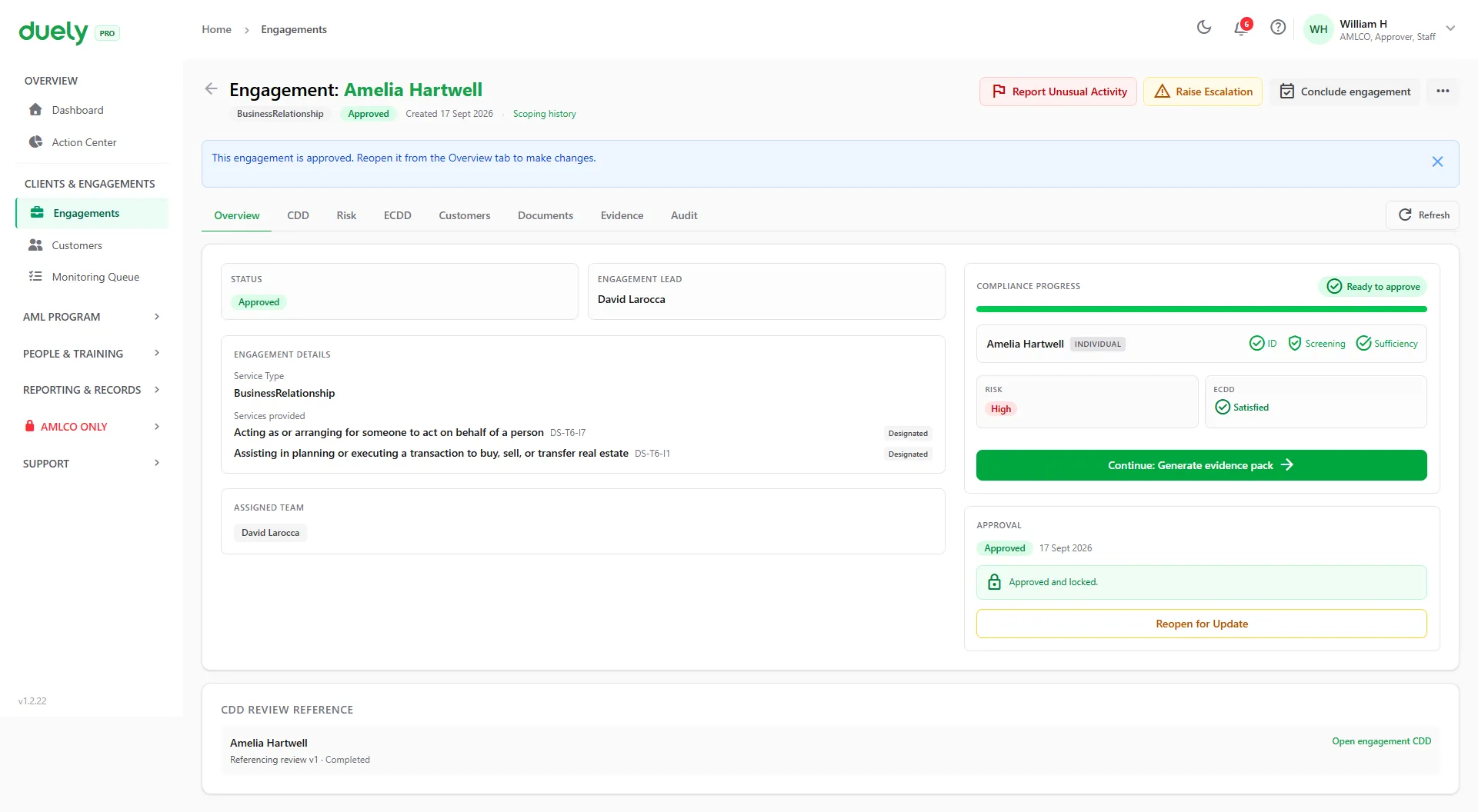
Approve and conclude
Request approval, then conclude
The firm requests approval and an approver (here the AMLCO) signs off. Once approved, the engagement is live. When the work is finished, the engagement is concluded.
An approver signs off before the work goes ahead.
Generate the evidence pack
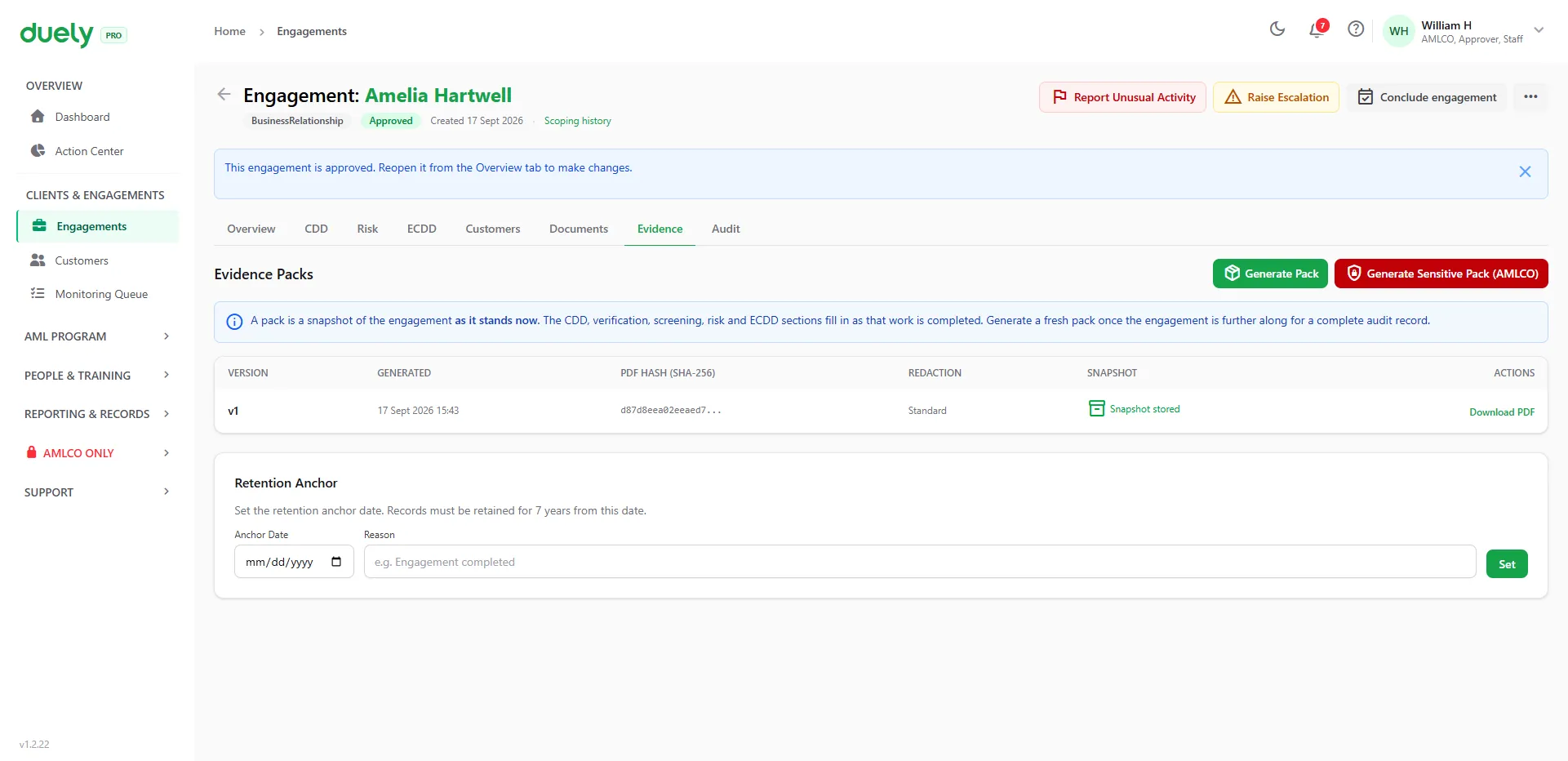
From an approved engagement, the firm generates the evidence pack: a versioned PDF with a SHA-256 hash, so any later change to the file is detectable. It is generated on demand, and the retention date is set when the engagement is concluded.
A hashed, versioned record you can hand to an auditor.
Available at any point
You can do these at any stage.
-
Request documents
Ask a customer for a document through the portal. They upload it and it lands on their record.
-
Record a threshold transaction report
When physical cash of $10,000 or more is involved, capture a draft threshold transaction report (TTR) against the engagement.
-
Report unusual activity
Any staff member can raise a concern. It goes to the AMLCO, who decides whether to file a suspicious matter report (SMR).
What the firm holds at the end
The firm holds a verified, screened customer with consent on file, an engagement with a recorded risk rating and ECDD, the AMLCO's approval, and a hashed evidence pack.
The full step-by-step model is on How it works.
More worked examples
See it with your own customers
Book a demo and we'll walk through an engagement like yours in duely.