AML/CTF compliance built for accounting firms
Tranche 2 brought accounting firms under the AML/CTF Act on 1 July 2026, and the obligations apply now. You do customer due diligence (CDD) once per customer and assess risk for each engagement that includes a designated service, so every engagement needs its own compliance record. duely builds that record for you.

How an engagement runs in duely
The screens your team works in
These are real screens from duely, with sample data.
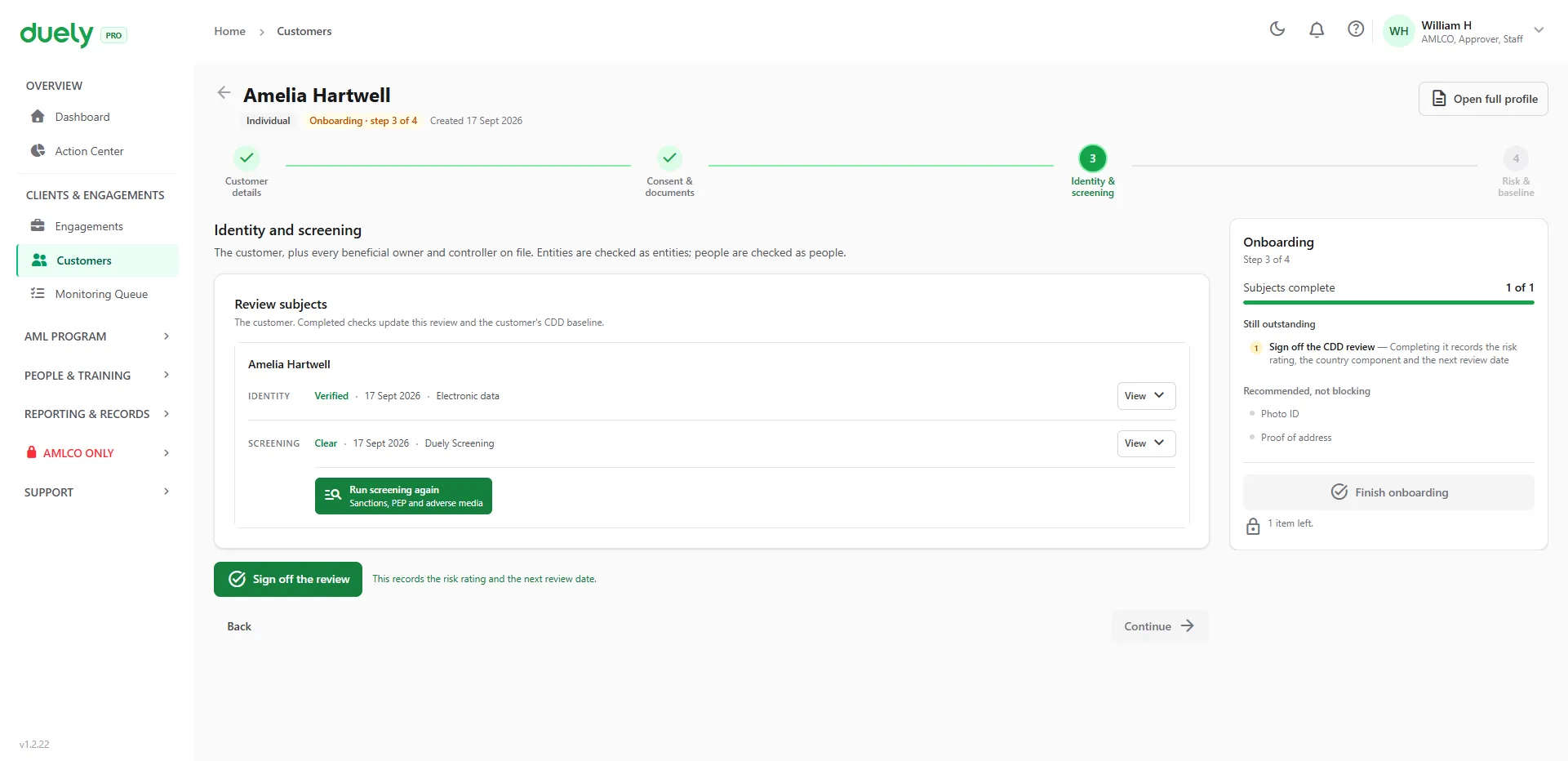
Verify and screen.Identity and screening results sit side by side for each person, with the date and the method used.
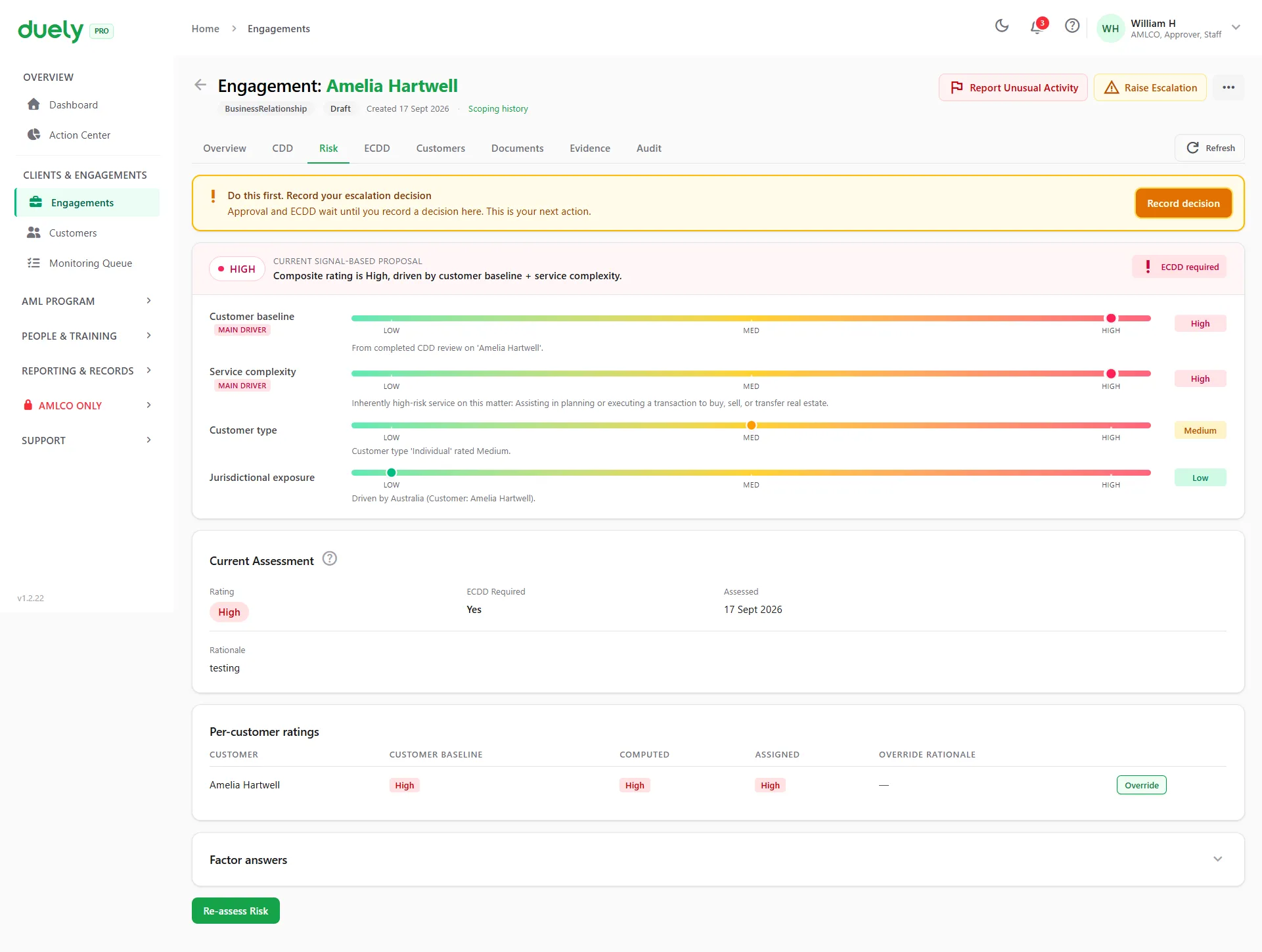
Rate the risk.The answers produce a rating and show what drove it. A High rating opens enhanced due diligence.
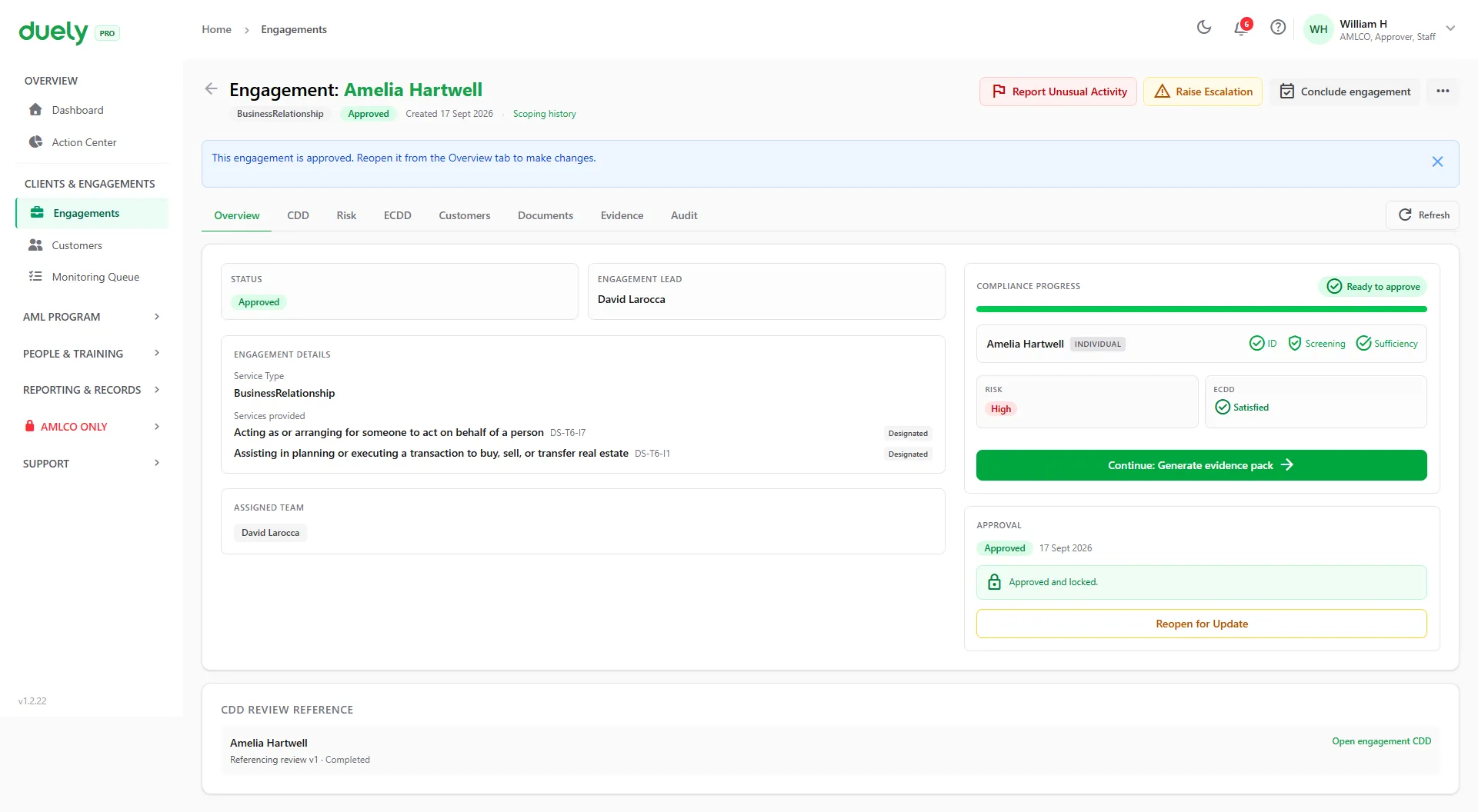
Approve.An approver signs off before the work goes ahead. The approval stays on the record.
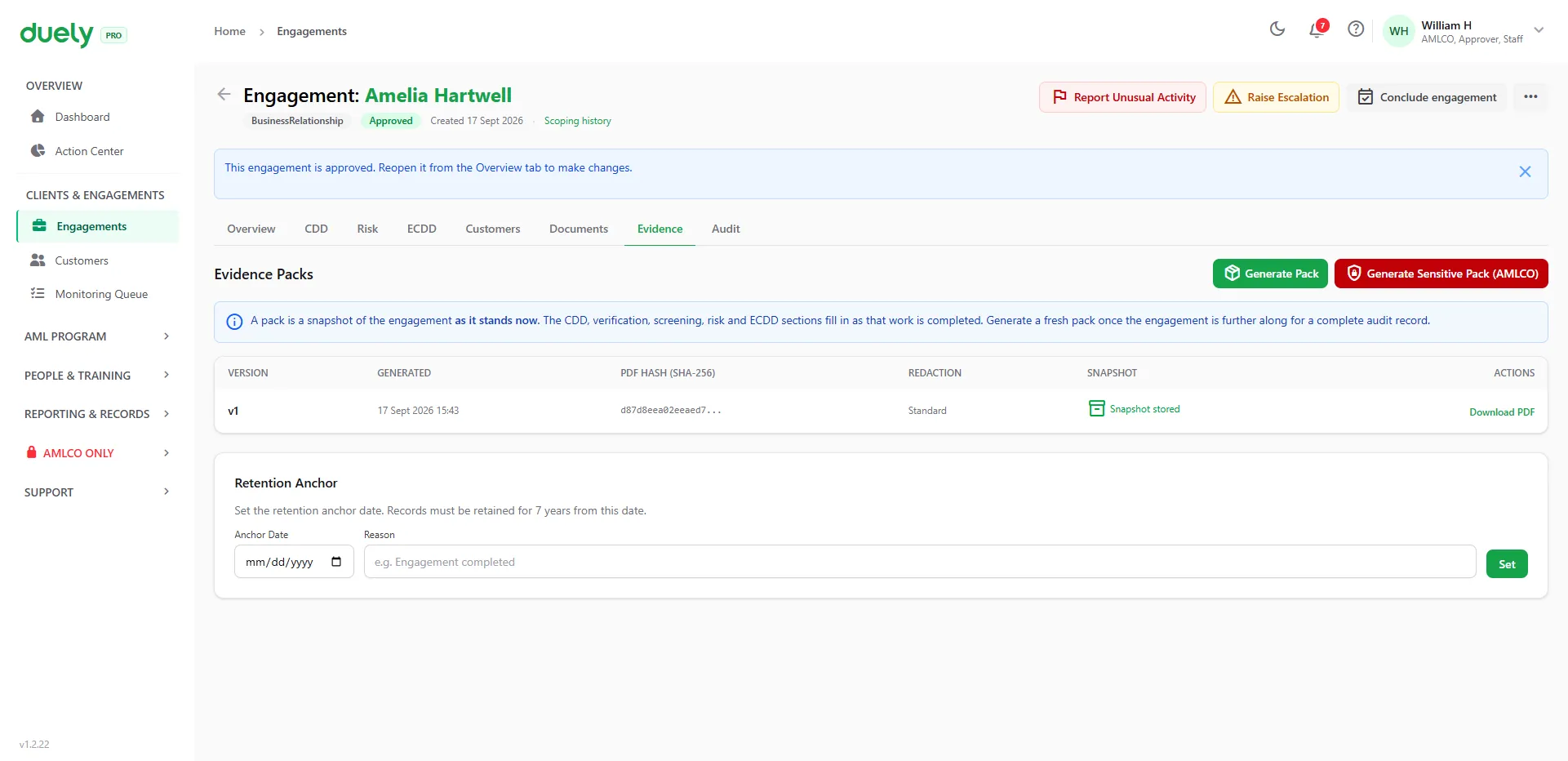
Generate the pack.One PDF, whenever you need it. Each version has its own SHA-256 hash, so any later change to the file can be detected.
What makes Tranche 2 hard for accounting firms, and how duely handles it
-
Multiple designated services per customer
One customer can have several engagements, each mixing designated and non-designated services. Any designated service brings that engagement into scope, so tracking at the customer level misses what each engagement needs.
One engagement per piece of work
Open an engagement for each piece of work, with designated and non-designated services recorded together. The customer's due diligence is done once and attached to each engagement. See the engagement workflow
-
Trusts and complex structures
Trusts and layered entities make it hard to work out who the beneficial owners and controllers are. Manual processes often miss them or fail to record how they were identified.
Ownership and control mapped
Map companies, trusts and partnerships, identify beneficial owners at the 25% threshold, and record controllers, trustees and appointors with the reasoning behind each decision.
-
Proving your decisions
Making a decision is only half the job. You also have to show it later. Without a structured record, firms have gaps when AUSTRAC or an auditor asks which designated service an engagement involved and what due diligence sat behind it.
Risk rated and approved on the record
The risk questions give a Low, Medium or High rating. A High rating, a PEP answer, a confirmed sanctions hit or a failed identity verification opens enhanced due diligence (ECDD), and every engagement goes to an approver before work proceeds. See risk assessment
-
Spreadsheets don't preserve evidence
Spreadsheets don't keep approvals and evidence consistently across engagements. Decisions, rationale and sign-offs get lost or overwritten.
One evidence pack per engagement
Generate a versioned, hashed PDF with the decision, rationale, timestamp and approver for each engagement. See evidence packs
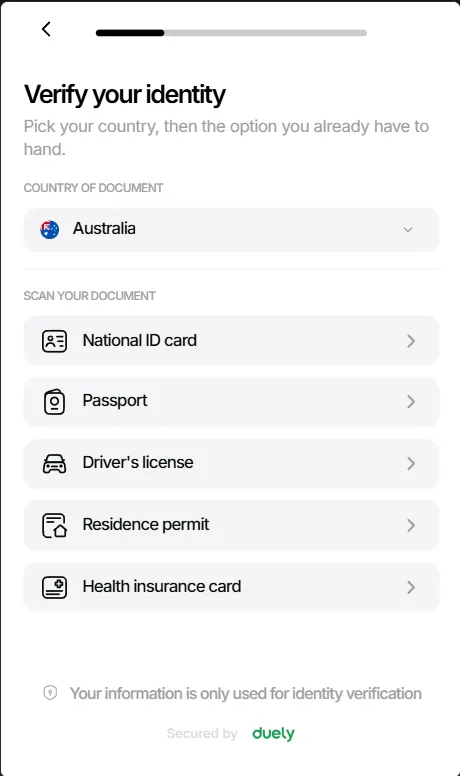
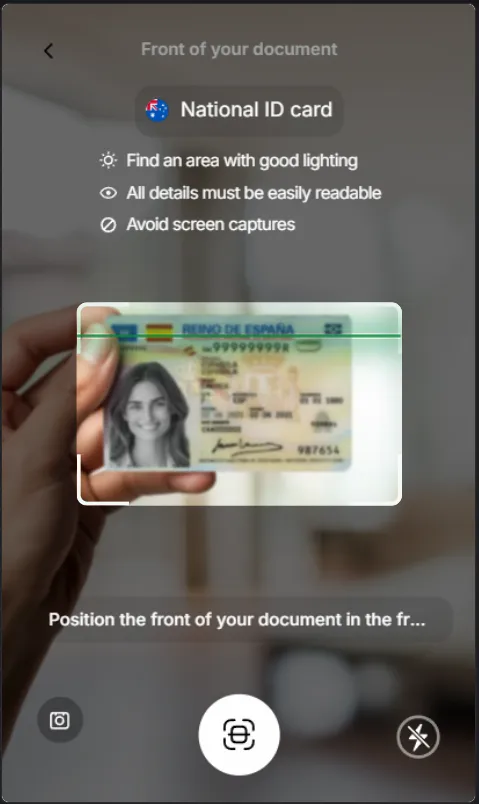
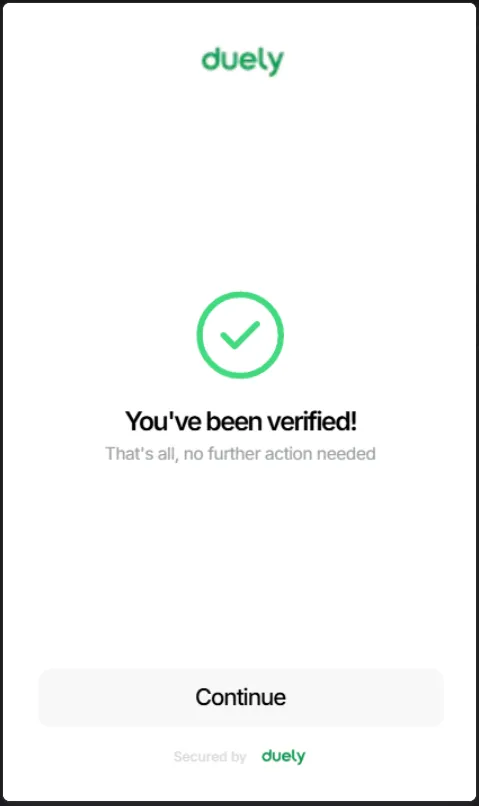
Your client verifies on their own phone
Send a link. They give consent, scan an ID document and take a selfie, and the result lands on their record. Nobody has to come into the office.
- Takes about a minute
- An ID check and a face check, both on their phone.
- Documents from 200+ countries
- Identity documents from more than 200 countries and territories.
- Done once
- Each client's due diligence is reused on every engagement.
Read the engagement as a written scenario A new trust customer, step by step.
-
Customer onboarding and scoping
A new customer asks your firm to handle their family trust's annual tax obligations and prepare its financial statements. Your team onboards the customer once, then opens an engagement in duely and adds the services involved. Tax return preparation and financial statement preparation can sit in one engagement or two. Either way, the customer's CDD is done once and each engagement records the CDD it relies on.
-
Entity structure and beneficial owner mapping
The family trust has a corporate trustee (a proprietary company) and four individual beneficiaries across two classes. Your team maps the structure in duely, recording the trust, the corporate trustee and each beneficiary. duely then guides the team through beneficial owner identification. It flags the individual who controls the corporate trustee as a beneficial owner and records the reasoning for each decision.
-
Identity verification
duely sets the verification path from the initial risk indicators. The individual beneficial owners can be verified electronically, with duely guiding your team through the procedure. The corporate trustee follows a different path: ABN verification, an ASIC extract and director identification. All verification results and source documents are saved against the engagement.
-
Risk assessment and ECDD check
The risk assessment wizard rates the engagement across several risk factors. The trust structure and one beneficiary's overseas residency mark it for closer attention, and the rating is recorded with full rationale. Here the overall rating does not trigger enhanced customer due diligence (ECDD). duely still records the factors considered and the reasoning for the final rating, so there is a clear record if the assessment is ever questioned.
-
Evidence pack and ongoing monitoring
Once an approver (the AMLCO, or a user with the Approver role) has approved an engagement, you can generate a versioned evidence pack for it. The pack holds every decision, document, verification result and risk assessment, hashed for integrity and ready for review. As the engagement continues, changes such as new beneficiaries, updated risk factors and reviews go into the audit trail, and you can generate a new version of the pack at any time.
See it in action
A 30-minute walkthrough of the engagement lifecycle (onboarding, risk assessment, ECDD, approval and evidence pack) using your own customer examples.