Tranche 2 compliance workflows for real estate agencies
Real estate agencies came under the AML/CTF Act as a Tranche 2 sector on 1 July 2026, and the obligations apply now. Every transaction needs verified parties, a documented risk decision, and a threshold transaction report (TTR) record when cash crosses $10,000. duely captures all three without taking agents off the road.

How a sale runs in duely
The screens your team works in
These are real screens from duely, with sample data. The app calls each transaction an engagement.
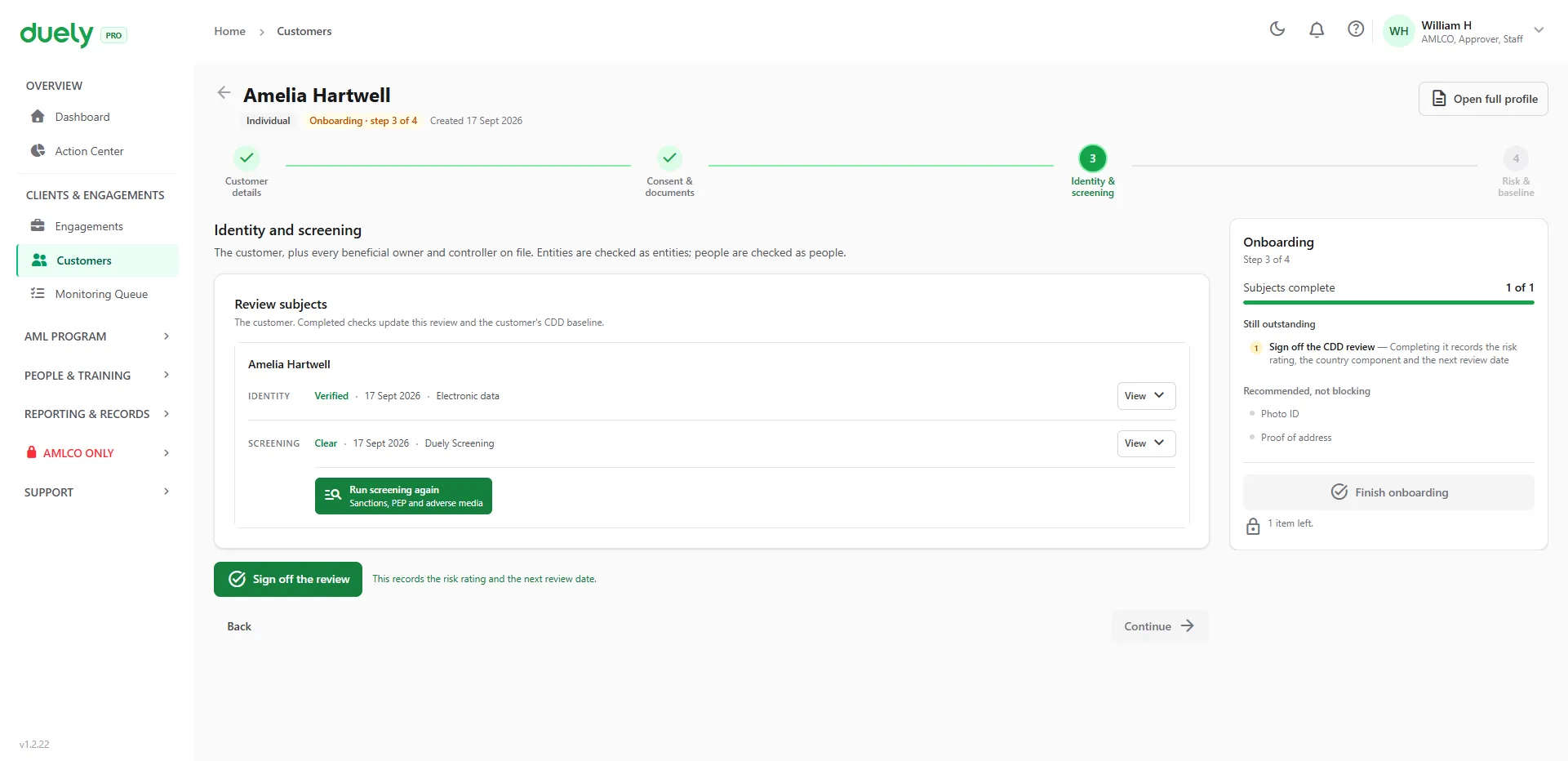
Verify and screen.Identity and screening results sit side by side for each person, with the date and the method used.
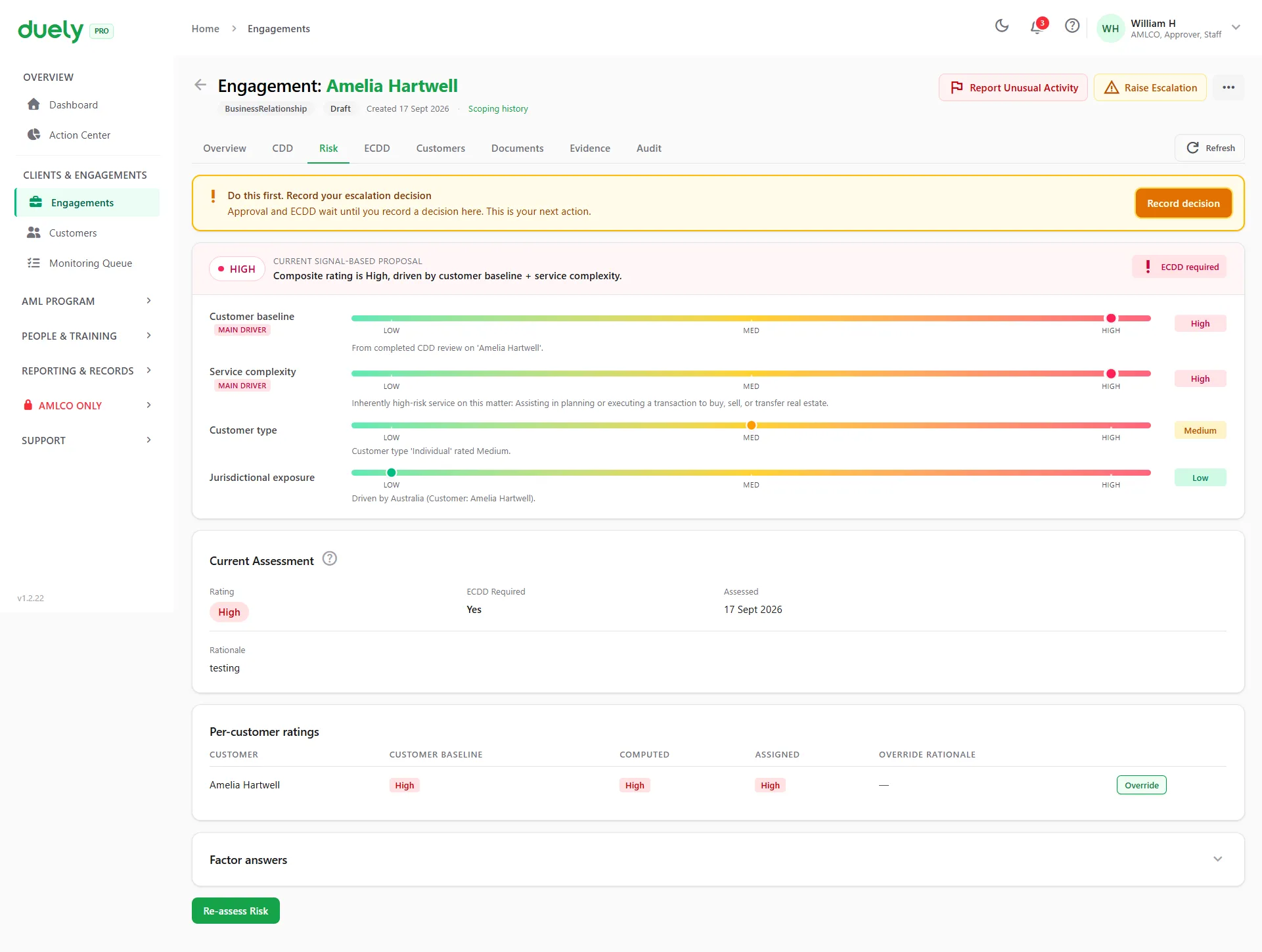
Rate the risk.The answers produce a rating and show what drove it. A High rating opens enhanced due diligence.
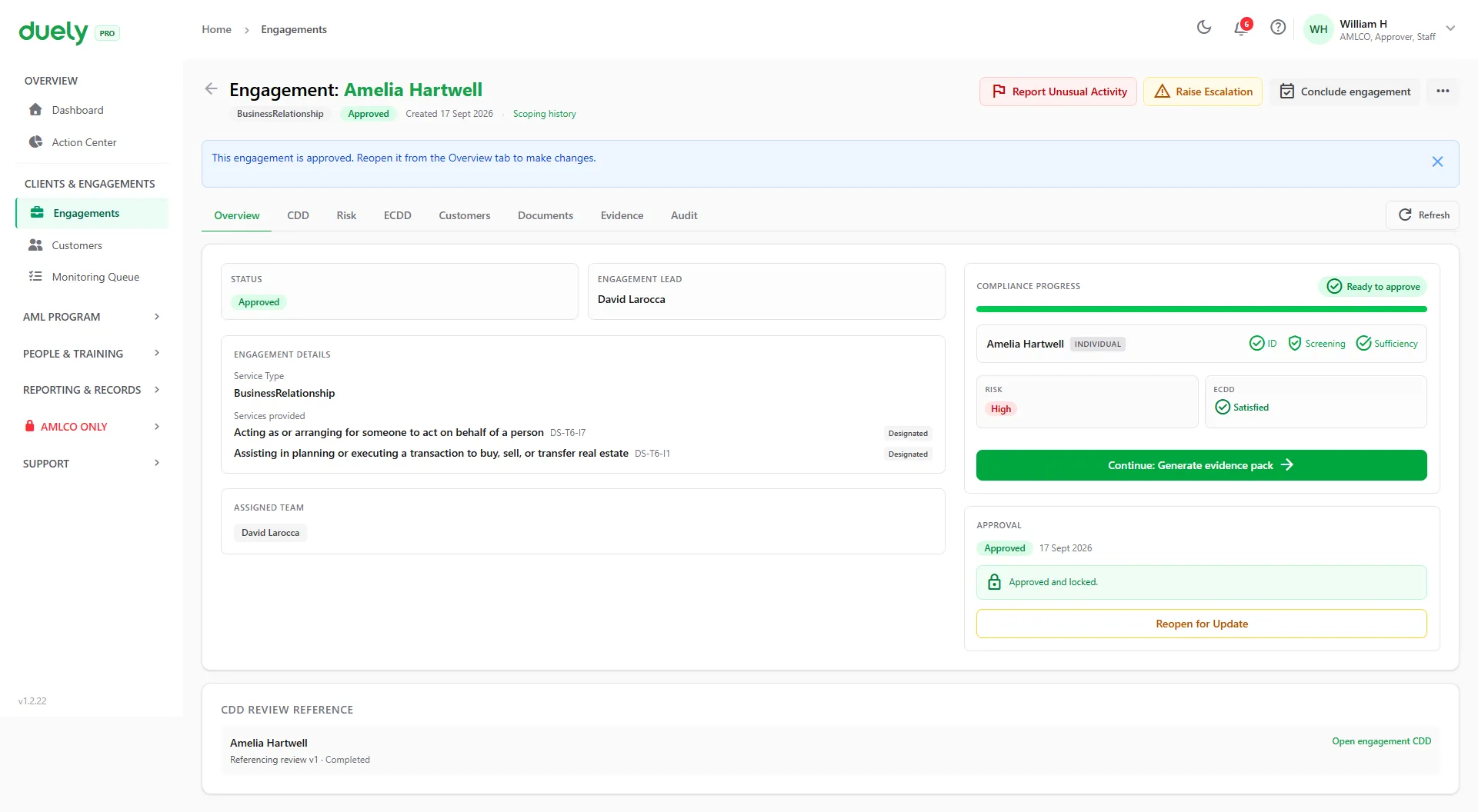
Approve.An approver signs off before the work goes ahead. The approval stays on the record.
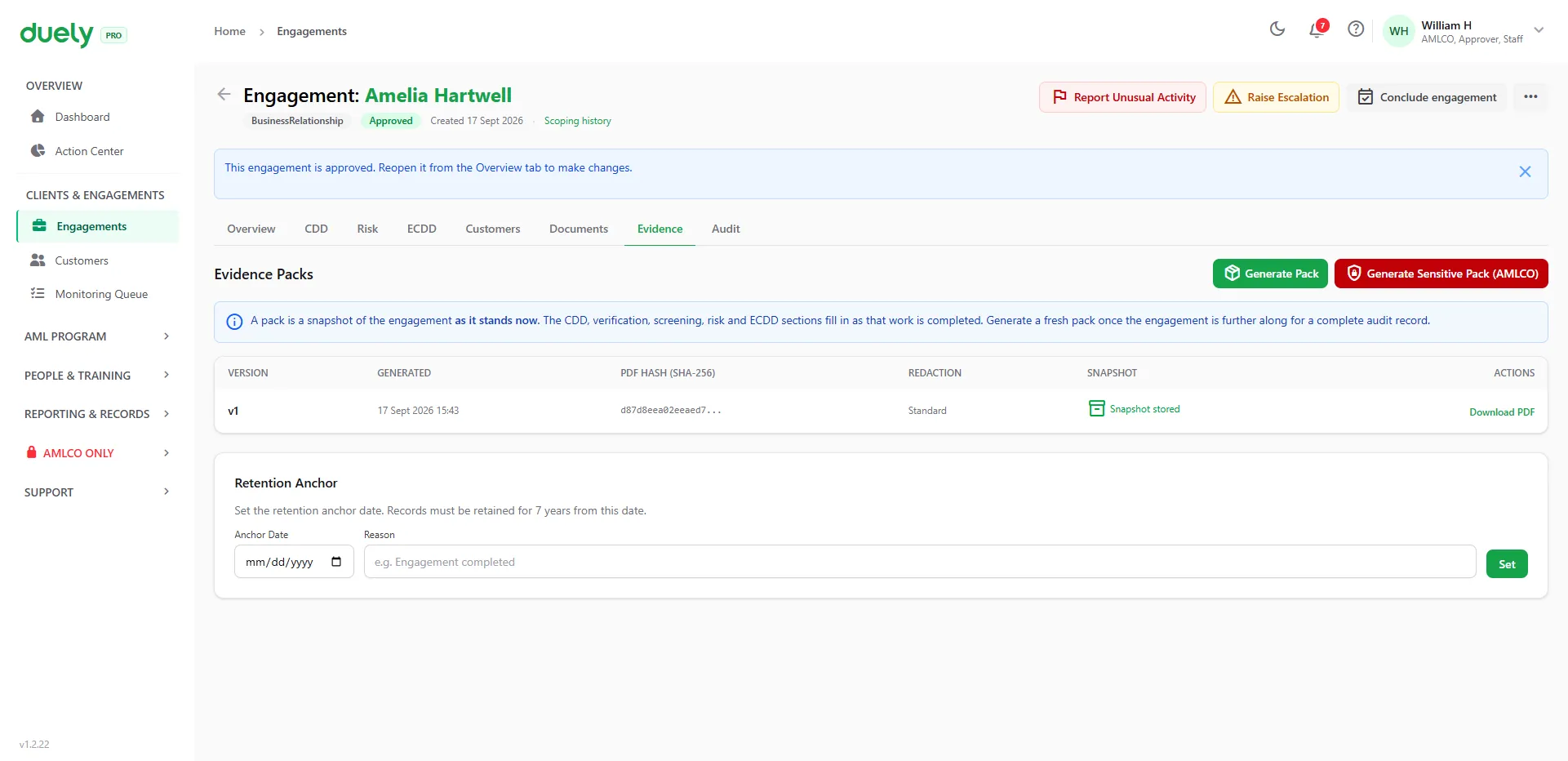
Generate the pack.One PDF, whenever you need it. Each version has its own SHA-256 hash, so any later change to the file can be detected.
What makes Tranche 2 hard for real estate, and how duely handles it
-
Multiple parties per transaction
Vendors, purchasers, co-buyers, and guarantors all need to be identified and verified, often under tight settlement timelines.
Every party on one transaction
Each buyer and seller is your customer. All of them sit on a single transaction, each with their own due diligence, verification and evidence. See multi-party engagements
-
Parties change mid-transaction
Co-buyers are added, guarantors step in, purchasing entities change from individuals to companies or trusts. The compliance record needs to keep up.
Add or remove a party at any stage
Add a co-buyer or a guarantor, or change a buyer from an individual to a trust. Each party's verification is tracked on its own and every change is in the audit trail.
-
Buyers are hard to verify before exchange
The rules let you finish the buyer's initial customer due diligence (CDD) after you start, inside a fixed window. Miss the window and the gap is on the record.
Delayed due diligence, with the deadline tracked
Record the deferral and the reason. duely sets the deadline at 28 days after exchange or 3 days before the initially agreed settlement day, whichever is earlier, and adds it to your monitoring queue five days before it falls due. How delayed CDD works
-
Document collection is manual
Chasing identification over email and text creates gaps. It's hard to prove what was collected, from whom, and when.
Secure upload links
Send a party a secure link and they upload their documents from their own device. Each upload is linked to the right transaction and party.
-
Cash reporting obligations
A missed threshold transaction report or an undocumented cash deposit is a compliance failure. Both are easy to avoid with the right workflow.
A report record for every cash deposit
Flag cash at the $10,000 threshold and duely captures the threshold transaction report (TTR) details against the transaction. Your team lodges it with AUSTRAC and records the reference. See AUSTRAC reporting
-
Scattered evidence
Evidence ends up spread across inboxes, drives, and spreadsheets. When auditors ask how a transaction was handled, assembling the record takes days.
One evidence pack per transaction
Generate a versioned, hashed PDF covering every party verification, the risk decision and any TTR record. See evidence packs
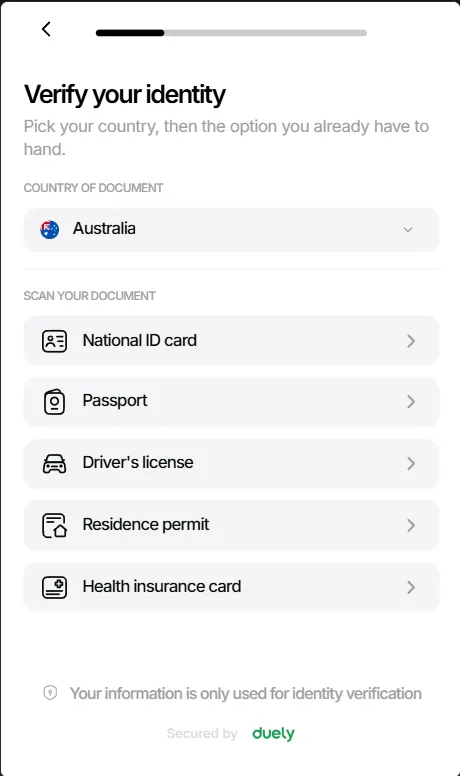
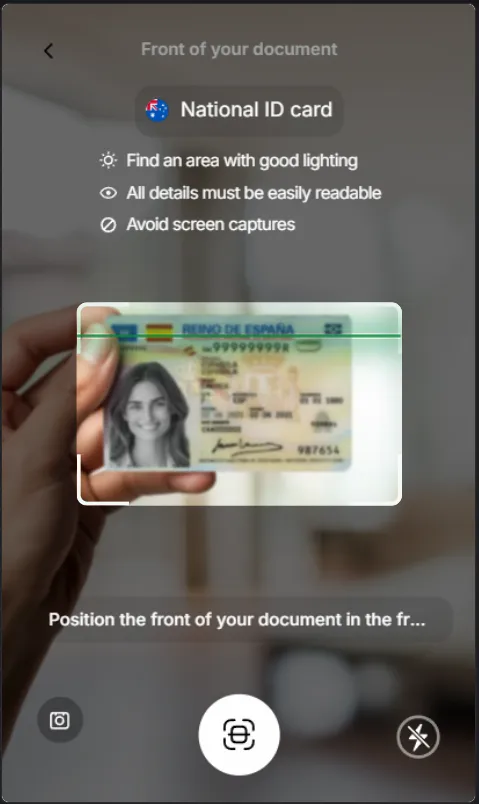
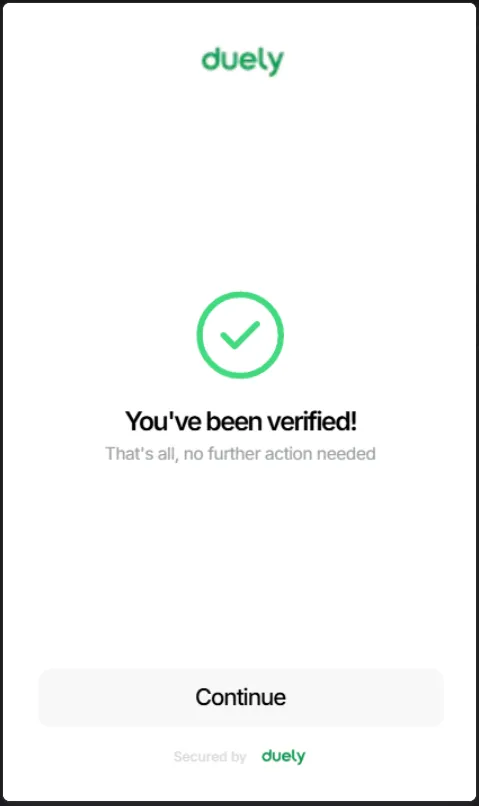
Overseas buyers and sellers verify from where they are
Many agencies act for customers who hold only a foreign passport. The customer gets a link by email and completes consent, their identity document and a selfie on their own phone. The evidence arrives on the transaction for your review and decision.
- Documents from 200+ countries
- Hosted verification supports identity documents from more than 200 countries and territories.
- Certified copies and translations
- Request certified copies from the customer profile and chase them with reminders. Accredited translations are uploaded alongside the original.
- Tampering flagged
- Signals such as a screenshot, or a photo taken of another device, are flagged for your review.
- Screened wherever they are
- Each customer is screened against sanctions, politically exposed persons (PEP) and adverse media.
For Australian documents you can also check against the government Document Verification Service (DVS). Foreign documents are captured and checked for tampering, not against an issuing-country database. See identity verification
Read the sale as a written scenario A property sale with multiple parties, step by step.
-
Listing and transaction setup
A vendor engages your agency to sell a residential property. Your agent opens a new transaction in duely from the property sale template and adds the designated service, which attaches the compliance obligations. The vendor is recorded as the first party on the transaction.
-
Vendor verification via secure upload
The vendor receives a secure upload link and provides their identification documents from their phone. duely guides the agent through the documentary verification procedure for an individual. The verification results, source documents and method used are recorded against the transaction.
-
Purchaser onboarding and party changes
An offer comes in from two co-buyers purchasing through a family trust. Your agent adds three parties to the transaction: the two individual co-buyers and the trust. duely recalculates what is needed: electronic or documentary verification for the individuals, and beneficial owner identification and verification for the trust. A week later a guarantor joins. duely adds them as a new party and starts their verification without disturbing the work already done.
-
Cash deposit and TTR capture
The purchasers pay a $25,000 cash deposit. The agent flags the cash as a TTR trigger in duely, which opens the TTR capture workflow. It records the amount, the parties, the date and every other AUSTRAC-required detail. The agent completes the attestation, and the TTR is linked to the transaction with a full audit trail.
-
Risk assessment and evidence pack
With all parties verified and the TTR captured, the agent completes the risk assessment. The trust structure and the cash deposit feed into the risk rating, which is recorded with full rationale. The agent can then generate a versioned evidence pack covering every party, every verification, the TTR and the risk assessment, hashed and ready for audit. As the sale moves to settlement, further compliance actions go into the audit trail, and a new version of the pack can be generated at any time.
See how duely builds the compliance record for each sale
Real estate agencies across Australia use duely to meet their Tranche 2 obligations at the pace their transactions move.